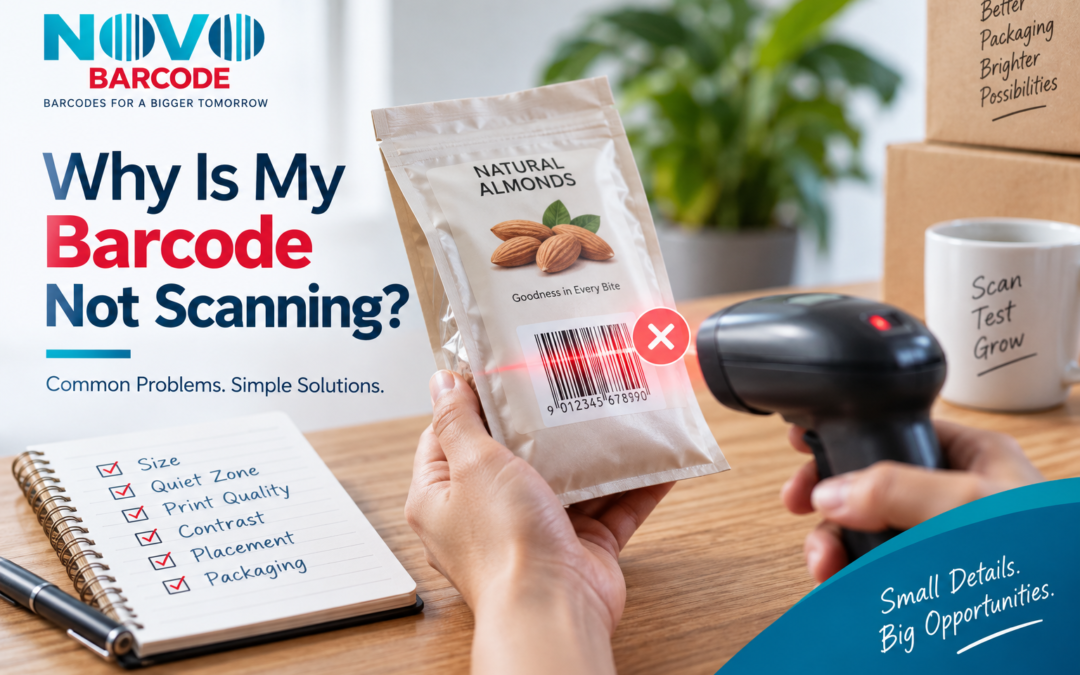
There is a particular kind of packaging problem that usually appears at the worst possible moment. The artwork has been approved, the labels have been printed, the cartons are ready to ship—and then someone scans the barcode and nothing happens.
The confusing part is that the barcode may look completely normal. The number is visible, the black bars appear sharp on the screen, and there may be nothing obviously wrong with the printed package. Yet a scanner struggles to read it, reads it only from certain angles, or fails altogether.
That does not automatically mean the barcode number is wrong. In many cases, the problem is somewhere between the barcode file and the finished product: the symbol may have been reduced too much, stretched during artwork preparation, printed with insufficient contrast, placed too close to another design element, or affected by the material and shape of the packaging.
For businesses, this distinction matters. Replacing a perfectly valid product identifier will not solve a printing or packaging problem. Before ordering another barcode, it is worth examining what is actually happening at the point of scanning.
This guide walks through the most common EAN-13 readability problems and, more importantly, explains what you should check before your packaging goes back to the printer.
Before You Replace the Barcode, Find the Problem
A barcode can fail to scan because of its size, print quality, contrast, quiet zones, distortion, placement, packaging material or physical damage.
If the underlying product identifier is correct, changing the number may not fix anything. Start with the printed symbol and the environment in which it is being scanned.
1. The Barcode Has Been Made Too Small
Space is often the first constraint in packaging design. A designer has a small label, a crowded carton or a narrow bottle and the barcode gets reduced until it fits.
Visually, the result may still look perfectly acceptable. From a scanner’s perspective, however, reducing the symbol affects the dimensions of the bars and spaces that need to be read accurately.
There is no single “small barcode size” that works for every application. The appropriate dimensions depend on the barcode specification, application and printing process.
The practical lesson is simple: do not resize an EAN-13 barcode merely to make it fit the remaining space on your packaging. Decide the barcode area during the packaging design stage instead.
Before approving your artwork, review our detailed guide to EAN-13 barcode size and placement on product packaging .
2. The Quiet Zone Has Disappeared
One of the easiest barcode requirements to overlook is the empty space around the symbol. This area is known as the quiet zone.
To a packaging designer, that blank area can look like unused space that could be filled with a product claim, logo or decorative element. For a scanner, it provides the visual separation needed to recognise the barcode.
Problems can occur when the barcode is pushed against:
- Product text
- Logos
- Decorative graphics
- Packaging borders
- Labels
- Another barcode
- The edge of the package
This is particularly common when the barcode is added to an already crowded packaging design.
If the barcode worked on a plain proof but became unreliable after it was incorporated into the final artwork, inspect the space immediately around the symbol before changing anything else.
3. The Bars and Background Do Not Have Enough Contrast
Barcode scanners need to distinguish the bars from the spaces between them. That sounds obvious, but packaging design sometimes prioritises colour aesthetics over optical clarity.
A conventional EAN-13 barcode is usually easiest to reproduce reliably with dark bars on a light, non-reflective background.
Problems can appear when the barcode is printed in a light colour, placed over a patterned background, or positioned on colours that do not provide enough contrast.
For example, a grey barcode on a slightly darker grey background may look stylish in a digital mock-up while providing poor separation for a scanner.
The barcode should therefore be treated as a functional part of the packaging rather than just another graphic element.
4. The Printing Process Has Changed the Barcode
A barcode is made from very precise bars and spaces. Printing introduces another variable: ink, toner and the printing surface can change the way those elements actually appear.
Watch for signs such as:
- Blurred bar edges
- Ink spreading
- Broken or incomplete bars
- Smudging
- Uneven density
- Ink spots
- Faded sections
The important point is that the human eye is surprisingly forgiving. A person may recognise the barcode immediately even when the scanner cannot reliably decode it.
This becomes more important in large production runs. If a printing problem affects the master artwork or printing process, the same defect can be repeated across hundreds or thousands of packages.
For higher-risk or business-critical applications, printed barcode quality can be assessed using appropriate barcode verification equipment rather than relying only on visual inspection.
5. The Barcode Is Sitting on a Curved Package
A barcode that performs well on a flat label can behave differently when it is wrapped around a bottle, jar, tube or other curved container.
Common examples include:
- Cosmetic bottles
- Food jars
- Plastic containers
- Cans
- Tubes
The curvature changes how the scanner sees the bars. A symbol that appears perfectly straight in the artwork may effectively become distorted when it is wrapped around the final package.
This is why testing only the digital artwork is not enough for curved packaging. Test the barcode on the actual finished container.
If you are developing packaging for a new product, it is better to discover this during a sample run than after the entire production batch has been printed.
6. Someone Stretched the Barcode to Fit the Design
This is a surprisingly common artwork mistake.
A barcode image is placed into a design file and then manually stretched horizontally or vertically until it fits a particular box.
The problem is that a barcode is not an ordinary photograph or decorative graphic. Its proportions are part of how the symbol works.
If the design area is too small, the better solution is usually to reconsider the packaging layout rather than distort the barcode until it fits.
Keep the symbol proportionate and give it enough clear space to be reproduced correctly.
7. The Barcode Is Too Close to a Fold, Seam or Edge
Placement can be just as important as size.
A barcode printed close to a packaging fold or seam may become distorted when the package is assembled. Flexible packaging can introduce another problem because the surface may wrinkle, bend or change shape during handling.
This can affect:
- Pouches
- Flexible labels
- Cartons
- Folded boxes
- Sealed packages
The barcode should ideally sit on a stable, relatively flat part of the final package, with the required clear space preserved around it.
This is one reason barcode placement should be decided while the packaging artwork is being developed—not added as an afterthought.
8. Glossy or Metallic Packaging Is Affecting the Scan
The material carrying the barcode can become part of the problem.
Glossy laminates, metallic finishes and highly reflective packaging can interfere with the optical conditions under which a scanner reads the symbol.
This is especially worth investigating when the same barcode works perfectly on a plain paper label but becomes unreliable after being transferred to a glossy pouch or laminated package.
If your packaging has a reflective finish, test a physical sample rather than relying on the appearance of the digital proof.
9. The Printed Barcode Has Been Damaged
Not every scanning problem starts in the printing room. Sometimes the barcode works when the product leaves production but becomes damaged during storage, transport or handling.
Look closely for:
- Scratches
- Creases
- Wrinkles
- Smears
- Faded ink
- Damaged labels
- Marks running through the bars
If only a portion of your stock is failing to scan, compare the physical condition of those packages with products that scan normally.
A pattern like this can quickly tell you whether you have a barcode-generation problem or a packaging and handling problem.
10. Something Is Covering Part of the Barcode
Sometimes the barcode itself is perfectly fine—the packaging process is what causes the problem.
A transparent film, sealing area, label overlap, sticker or fold can partially cover the symbol or reduce the clear space around it.
This is easy to miss because the original packaging artwork may have looked correct before production.
Always inspect the barcode on the finished package in its final condition, not just on the original artwork file.
11. The Barcode Number and Symbol Need to Be Checked Separately
If the printed symbol appears clean but still refuses to decode, move one step back and check the underlying identifier.
EAN-13 includes a check digit as part of the 13-digit structure. The number and the barcode symbol generated from that number should be treated as two related but distinct things.
Do not repeatedly generate new barcode images without first establishing what is wrong. Confirm the intended number, confirm that the correct symbol has been generated, and then inspect the physical print.
If you need to check an EAN-13 barcode, you can also refer to our EAN-13 barcode verification guide .
Why Does It Scan on My Phone but Not on a Scanner?
This is one of the most confusing situations for product businesses.
A smartphone scanning application can successfully read a barcode under favourable lighting, distance and positioning. That does not necessarily mean the printed symbol will perform equally well in every scanning environment.
A retail scanner, warehouse scanner or point-of-sale system may operate differently. The distance, angle, lighting, print quality and physical condition of the barcode can all matter.
So a successful phone scan should be treated as a useful first check—not as the only evidence that the barcode is ready for commercial use.
For packaging where reliable scanning is important, more formal barcode verification can provide a clearer picture of printed-symbol quality.
Why Does the Barcode Look Perfect on Screen but Fail After Printing?
A digital file represents an ideal version of the barcode. The finished package is the real test.
Between those two points, several things can change:
- Printer resolution
- Printing technology
- Ink or toner behaviour
- Packaging texture
- Surface curvature
- Gloss or reflection
- Artwork scaling
- Physical handling
This is why a barcode should not be judged only from a computer monitor.
A physical sample printed using the intended production method can reveal problems that remain invisible in the artwork file.
A Better Way to Troubleshoot a Non-Scanning Barcode
Instead of immediately ordering a replacement barcode, work through the problem in this order:
- Confirm the intended barcode number.
- Check that the correct barcode symbol was generated.
- Inspect the physical dimensions.
- Check both quiet zones.
- Look at bar-to-background contrast.
- Check whether the symbol has been stretched or distorted.
- Inspect the print for smudging, gaps or damage.
- Look at the surface on which it is printed.
- Check its position relative to folds, edges and other artwork.
- Test the barcode on the finished package.
This approach matters because it separates two very different problems: the product identifier itself and the quality of the barcode symbol printed on the product.
When Should You Actually Replace the Barcode?
A barcode that does not scan should not automatically trigger a new barcode purchase.
If the product identifier is correct, the solution may be as simple as correcting the physical size, restoring the quiet zone, improving contrast or changing the way the symbol is printed.
A new identifier becomes a separate question when the product itself has changed and the new version needs to be identified separately.
For example, changing a barcode’s print size is a barcode-production issue. Launching a separately sold 200 ml version of a 100 ml product is a product-identification issue.
If you are dealing with a product change rather than a scanning problem, read our guide: When Do You Need a New Barcode for a Product?
The Most Important Check Happens Before Mass Printing
The best time to discover a barcode problem is when you have one sample package on your desk, not when 10,000 finished labels are sitting in your warehouse.
Before approving the final packaging artwork, check the following:
- Correct barcode number
- Correct symbol format
- Appropriate physical size
- Clear quiet zones
- Sufficient contrast
- Suitable placement
- Packaging surface
- Print quality
- Final physical appearance
Then scan the barcode on the actual printed sample.
For packaging-specific guidance, see our EAN-13 barcode size and placement guide before finalising the artwork.
Barcode Quality Is a Packaging Decision, Not Just a Barcode Decision
It is tempting to treat the barcode as the final small graphic added to the bottom or back of a package. In reality, its performance depends on decisions made throughout the packaging process.
The barcode has to move successfully from a digital file to a printed surface, remain readable through handling and storage, and finally present itself clearly enough for the intended scanner to decode.
That is why barcode planning should happen alongside packaging design rather than after the design has already been completed.
A few millimetres of space, a different print finish or an artwork adjustment can sometimes make the difference between a barcode that scans immediately and one that requires repeated attempts.
Frequently Asked Questions
Why is my EAN-13 barcode not scanning?
The cause can be physical rather than numerical. Check the barcode’s size, quiet zones, contrast, print quality, distortion, placement, packaging surface and condition before assuming that the barcode number is incorrect.
Why does my barcode scan on my phone but not on a scanner?
Different scanners and scanning environments can behave differently. A phone scan is a useful initial check, but it does not by itself establish that a barcode meets every commercial scanning or quality requirement.
Can making an EAN-13 barcode too small stop it from scanning?
Yes. Reducing the symbol beyond the appropriate range can make reliable scanning more difficult, particularly when combined with lower print quality or a difficult packaging surface.
What is the quiet zone of a barcode?
The quiet zone is the clear area around the barcode. It helps separate the symbol from nearby text, graphics, borders and other elements so the scanner can identify it correctly.
Can I use coloured bars for an EAN-13 barcode?
Barcode readability depends heavily on contrast. A visually attractive colour combination may not provide sufficient optical separation, so colour choices should be evaluated for scanning performance rather than appearance alone.
Can I stretch a barcode to fit my packaging?
You should not arbitrarily distort the barcode’s proportions. If the available area is too small, reconsider the packaging layout instead of forcing the symbol into an unsuitable shape.
Can glossy packaging affect barcode scanning?
Yes. Highly reflective or metallic surfaces can make scanning more difficult. Testing a physical sample on the final packaging material is particularly important in these cases.
Should I buy a new barcode if my existing one is not scanning?
Not necessarily. First determine whether the problem is with the identifier or with the printed symbol, packaging, size, contrast or placement.
How can I test a barcode before printing thousands of labels?
Print a sample using the intended packaging material and printing process, then test the finished package. Where formal quality assessment is required, use appropriate barcode verification equipment.
Don’t Replace the Number Until You Understand the Problem
When a barcode fails at the scanner, replacing it may seem like the quickest solution. It is often not.
The more useful question is why is it failing? A barcode that has been reduced too far, printed poorly, squeezed against another design element or placed on a reflective or curved surface can have trouble scanning even when the underlying product identifier is perfectly valid.
Start with the physical product. Look at the symbol the way the scanner sees it—not the way it looks on your computer screen. Check its size, surrounding space, contrast, print quality, placement and condition. If the barcode passes those checks but still presents a problem, then investigate the identifier and scanning environment separately.
For businesses preparing new packaging, this small quality check can prevent a much larger problem later. It is considerably easier to correct one sample label than to discover a barcode issue after an entire production run has been completed.
If you are preparing packaging now, start with the practical details in our EAN-13 size and placement guide , then test the barcode on the actual finished package before approving the full print run.
And if the issue is not scanning quality but a new product or variant that genuinely needs its own identifier, first determine how many unique product variants you have. Our guide on how many barcodes you need can help you work through that decision.
Once the product list and barcode requirement are clear, you can review the NovoBarcode EAN-13 barcode packages and select the quantity appropriate for your product range and intended use.
The right barcode is only the beginning. The real test is whether the finished product can be scanned reliably when it reaches the shelf, warehouse, checkout or customer.