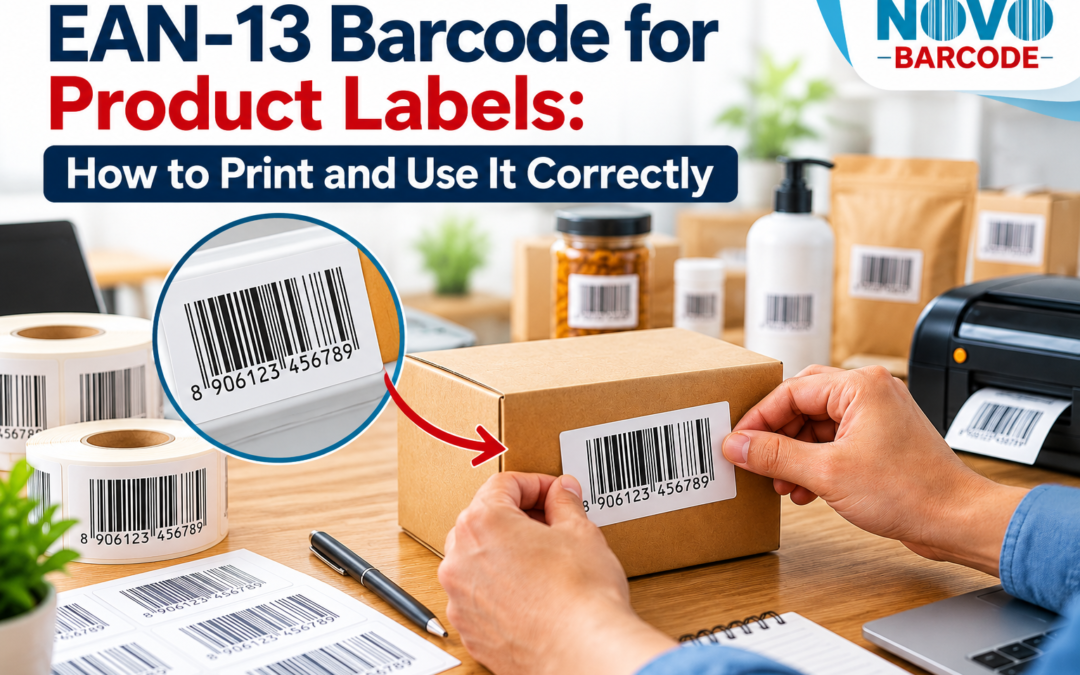
EAN-13 Barcode for Product Labels: How to Print and Use It Correctly
A product label can look perfectly finished on screen and still create a problem at the checkout counter if the barcode has been printed badly.
This is something many businesses discover only after the packaging has already been produced. The product is ready, the label design looks good, the barcode is sitting in the artwork—and then the first scan does not work properly.
For businesses using EAN-13 barcodes on product labels, the barcode should not be treated as just another graphic element in the design. It is part of the product identification system, and the way it is placed, printed and handled can affect whether it scans reliably.
This matters whether you are launching a food product, clothing item, cosmetic, household product, packaged consumer product or another retail product in India.
The good news is that most barcode-label problems can be avoided before the labels go into mass production. You simply need to treat the EAN-13 barcode as a functional part of the label rather than something added at the very end.
What Is an EAN-13 Product Label?
An EAN-13 product label is a label or packaging area that contains an EAN-13 barcode representing a 13-digit product identifier.
The barcode allows compatible scanning equipment to read the encoded number quickly. The digits printed underneath the bars also allow people to see the number without using a scanner.
The label may contain much more than the barcode itself—such as the product name, brand, price, quantity, ingredients, manufacturer details or other information required for the particular product.
The important point is that the barcode needs to remain readable even when it is surrounded by all those other design elements.
If you are new to EAN-13, it is worth understanding the underlying format first. Our guide explains how EAN-13 barcodes work and how the barcode relates to the product number.
Why the Barcode Should Be Planned Before Printing Labels
A common workflow is:
Design the packaging → send it to the printer → add the barcode at the last minute.
That is not always the best approach.
If the barcode is added after the label design has already been finalised, there may not be enough suitable space. The designer may reduce the barcode to make it fit, place it too close to another graphic, put it across a curved area or surround it with colours that make scanning more difficult.
It is much easier to reserve the barcode area during the label-design stage.
A better workflow is:
- Finalise the product and product identifier.
- Obtain the EAN-13 barcode.
- Prepare the label artwork.
- Reserve a suitable barcode area.
- Print a sample.
- Test the printed barcode.
- Proceed with the full printing run.
This small change in workflow can prevent an expensive packaging reprint later.
Where Should You Put an EAN-13 Barcode on a Product Label?
There is no reason to hide the barcode in the most crowded part of the packaging simply because it needs to be somewhere on the label.
Choose an area where the barcode can remain relatively flat, unobstructed and visually separate from nearby design elements.
Avoid placing it across:
- Seams
- Folds
- Sharp packaging corners
- Heavy graphics
- Highly reflective areas
- Uneven surfaces
- Areas likely to be damaged during handling
For detailed guidance on barcode dimensions, placement and packaging considerations, see our dedicated guide: EAN-13 barcode size and placement on packaging.
The purpose of this article is not to replace that technical guide, but to show how those considerations fit into the actual label-production process.
How to Print an EAN-13 Barcode Correctly
Once the barcode has been added to the artwork, the next challenge is printing it without damaging the information encoded in the bars.
The basic principle is simple: the scanner needs to see the bars clearly.
That means the printed result should have strong contrast and clean edges.
A few practical points matter:
Use a high-quality barcode file
Do not take a small screenshot of a barcode from a website and enlarge it repeatedly inside a design program. Enlarging a low-quality image can make the bars uneven or blurred.
Do not distort the barcode
Avoid stretching the barcode horizontally or vertically simply to make it fit a particular design box. The barcode should be reproduced according to the intended proportions.
Keep the barcode area clean
Do not place text, decorative lines, logos or other graphics immediately over or around the bars.
Use sufficient contrast
A dark barcode printed against a light background is generally easier for scanners to read than a low-contrast combination.
Check the actual printed label
A design that looks perfect on a computer monitor is not the same as a physical printed label. Printing can introduce changes in sharpness, contrast and size.
Can You Print an EAN-13 Barcode on a Sticker?
Yes, an EAN-13 barcode can be used on a product sticker or label where that approach suits the product and its packaging.
This can be particularly practical for small businesses that do not want to redesign the entire package.
For example, a manufacturer may use a product label containing the brand and product information, with the EAN-13 barcode incorporated into the same label.
Another business may use a separate barcode sticker applied to the packaging.
Whichever method you choose, the final printed barcode should remain flat enough, clear enough and undamaged enough for reliable scanning.
EAN-13 Barcode Label for Different Product Types
The basic scanning principle remains the same, but the physical label environment can be very different from one product to another.
Food products
Food packaging may have limited space because the label also needs to accommodate product information and other packaging details. The barcode should be given a dedicated area rather than squeezed into a crowded design.
If you sell food products, you can also explore our guide to barcodes for packaged food products in India.
Clothing and garments
Clothing businesses commonly use hang tags, stickers or labels. The barcode should remain readable even when the tag is handled repeatedly.
Our guide to barcodes for clothing products in India covers the product-identification considerations for garments and apparel.
Cosmetic products
Cosmetic packaging can be small, curved and visually detailed. That makes barcode placement particularly important.
See our guide to barcodes for cosmetic products for more information.
Electronic products
Electronic products may have boxes, labels and multiple product specifications. Keeping the barcode separate from dense technical information can make the label easier to scan and manage.
You can read more about barcodes for electronics products in India.
What Size Should an EAN-13 Barcode Be on a Product Label?
There is no sensible one-size-fits-all answer for every label design.
The barcode must be large enough to reproduce clearly while still fitting comfortably into the available packaging area.
Reducing it simply because the designer wants more room for a logo or product photograph can create scanning problems.
At the same time, making it unnecessarily large may create design and packaging constraints.
The right approach is to decide the barcode area together with the packaging designer and printer, then verify the actual printed result.
For the technical dimensions and placement details, refer to: EAN-13 Barcode Size & Placement on Packaging.
Should the EAN-13 Barcode Have Numbers Underneath?
The human-readable digits are useful because they allow the product identifier to be read without a scanner.
However, the numbers should not be treated as a replacement for the machine-readable barcode.
The scanner reads the bars. The printed digits provide a visible reference for people handling the product.
For that reason, both parts should remain clear and should not be hidden by label design elements.
Why Some Printed EAN-13 Barcodes Do Not Scan
When a barcode fails to scan, businesses often assume the barcode number itself must be wrong.
That is not always the case.
The problem can come from the way the barcode was reproduced on the physical product.
Common causes include:
- Barcode printed too small
- Low-quality or blurred artwork
- Incorrect proportions
- Poor colour contrast
- Barcode placed across a fold or seam
- Damaged label
- Reflective packaging
- Graphics interfering with the barcode area
- Poor printing quality
If your printed barcode is not scanning correctly, our troubleshooting guide covers common reasons why a barcode may not scan.
Always Test the Printed EAN-13 Label Before Bulk Printing
This is probably the most practical step in the entire process.
Do not approve a large packaging order only because the barcode looks correct on the computer screen.
Print a physical sample first.
Then test the actual label.
If possible, test samples from the same printing process and material that will be used for the final production run.
A barcode printed clearly on one type of paper may behave differently on another material, especially where the surface is glossy, textured or curved.
You can also use an appropriate barcode verification process to confirm that the EAN-13 number and printed representation are being handled correctly. See our guide on how to verify an EAN-13 barcode.
EAN-13 Barcode and Your Product Database
The barcode should not live only inside the packaging artwork.
Keep the EAN-13 number recorded in your product database alongside the product information.
For example:
| Product Information | Example |
|---|---|
| Product name | Premium Cotton T-Shirt |
| SKU | TS-BLK-M |
| EAN-13 | Assigned EAN-13 number |
| Variant | Black / Medium |
| Packaging version | 2026 product label |
Keeping this information organised becomes increasingly important when a business has multiple products or variants.
If you are unsure how an internal SKU relates to an EAN-13 barcode, our article Barcode vs SKU: What’s the Difference for Your Business? explains the distinction.
When Should You Get the EAN-13 Barcode?
Ideally, the EAN-13 barcode should be finalised before the packaging artwork goes to mass production.
You do not necessarily need to wait until every part of your marketing material is finished.
A practical sequence is:
- Finalise the product.
- Identify the product variants.
- Determine the required EAN-13 identifiers.
- Purchase the required barcode numbers.
- Prepare the barcode artwork.
- Add it to the product label.
- Print a physical sample.
- Test the barcode.
- Approve the final packaging.
This approach is particularly useful for new product launches because changing a barcode after packaging has already been printed can be expensive and inconvenient.
For more information, see our guide to barcodes for new product launches in India.
What If You Have More Than One Product?
Do not assume that one EAN-13 number should simply be copied across every product in your catalogue.
Product identification needs to be planned around the products and variants you actually sell.
For example, a business may have different products, sizes, colours, flavours, pack configurations or other variations. Whether those variations require separate identifiers depends on how the products are defined and sold.
Before ordering a large quantity, map your product catalogue first.
Our guide How Many Barcodes Do I Need? can help you think through the quantity requirement.
Common EAN-13 Product Label Mistakes
1. Making the barcode too small
The barcode is reduced to make room for other design elements, leaving little margin for reliable reproduction.
2. Stretching the barcode
The designer changes the proportions to fit a narrow space.
3. Printing over a busy background
The barcode becomes visually mixed with photographs, patterns or graphics.
4. Placing it across a fold
Part of the barcode sits on one surface and part on another.
5. Skipping the physical test
The business approves the artwork without testing an actual printed sample.
6. Using an outdated product identifier
The packaging artwork contains an identifier that no longer corresponds to the intended product.
7. Treating the barcode as decoration
A barcode is functional information. It should not be modified purely for visual effect.
Should You Buy the EAN-13 Barcode Before Designing the Label?
For most product-label workflows, it is sensible to finalise the barcode information before the artwork is locked.
That gives your designer the actual barcode that will appear on the package and allows the barcode area to be planned properly.
If you are ready to purchase an EAN-13 barcode for your product, you can review the available EAN-13 barcode purchase option.
Before purchasing, however, make sure you understand how many distinct products or variants you need to identify and whether your intended sales channel has any specific requirements.
Need an EAN-13 Barcode for Your Product?
If your product is ready for retail or online selling and you need an EAN-13 barcode, start by identifying the products and variants that need their own product identification.
Once the quantity is clear, you can choose an appropriate EAN-13 barcode package and then use the barcode in your product label or packaging artwork.
Frequently Asked Questions
What is an EAN-13 barcode label?
An EAN-13 barcode label is a product label or packaging area containing an EAN-13 barcode that represents a 13-digit product identifier in a machine-readable form.
Can I print an EAN-13 barcode on a product sticker?
Yes. An EAN-13 barcode can be incorporated into a product sticker or label, provided the printed barcode remains clear and suitable for scanning.
Can I print an EAN-13 barcode at home?
The important issue is not simply where the barcode is printed but whether the final printed result maintains the required clarity, proportions, contrast and placement for reliable scanning.
Should I test an EAN-13 barcode before mass printing?
Yes. Testing a physical sample before a large production run is a sensible way to identify printing or placement problems before they become expensive packaging issues.
Can I put an EAN-13 barcode anywhere on the packaging?
The barcode should be placed in a suitable, unobstructed area where it can be reproduced clearly and scanned reliably. Avoid folds, seams, severe curves, damaged areas and busy backgrounds.
Does every product need a different EAN-13 barcode?
Product identification should be planned according to the products and variants being sold and the requirements of the relevant sales channel. Do not assume that one number can simply be reused across different products.
Where can I buy an EAN-13 barcode in India?
EAN-13 barcode services are available online. Before purchasing, check what is being supplied, how many identifiers are included and whether the requirements of your intended retailer, marketplace or trading partner are satisfied.
Conclusion: Treat the EAN-13 Barcode as Part of the Product
An EAN-13 barcode may occupy only a small area of a product label, but it should not be treated as a small design detail.
The barcode connects the physical product with the identification information used by compatible systems. That is why the process should begin before the label goes to mass printing—not after the packaging design is already finished.
Get the correct EAN-13 identifier, give the barcode enough room, keep it away from folds and busy graphics, use a suitable print file, and test the physical label before approving a large production run.
For a business launching one new product, these steps take only a little extra planning. For a manufacturer or growing brand with dozens of products, getting the process right can prevent much bigger problems later.
If you are preparing a new product for sale in India, the best time to think about the EAN-13 barcode for your product label is before the packaging is printed—not after.
A good product label does more than look professional. It should work correctly when the product reaches the shelf, warehouse or checkout.
Continue Reading: EAN-13 Guides
Explore practical guides for product identification, packaging and retail preparation.
 Why Retailers Reject Products With Barcode Problems | India Guide
Read guide →
Why Retailers Reject Products With Barcode Problems | India Guide
Read guide →
 Barcode for Multipack Products in India: Do You Need a New One?
Read guide →
Barcode for Multipack Products in India: Do You Need a New One?
Read guide →
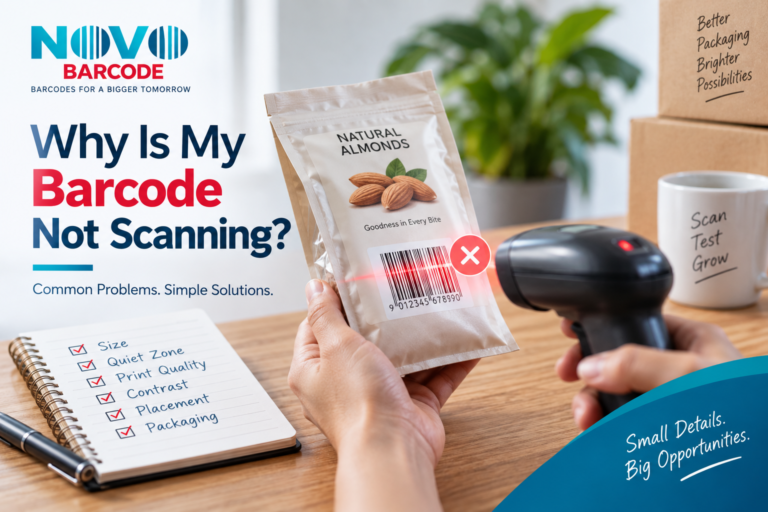 Why Is My Barcode Not Scanning? 11 Common EAN-13 Problems & Solutions
Read guide →
Why Is My Barcode Not Scanning? 11 Common EAN-13 Problems & Solutions
Read guide →
 When Do You Need a New Barcode? Product Variant Guide for India 2026-2027
Read guide →
When Do You Need a New Barcode? Product Variant Guide for India 2026-2027
Read guide →