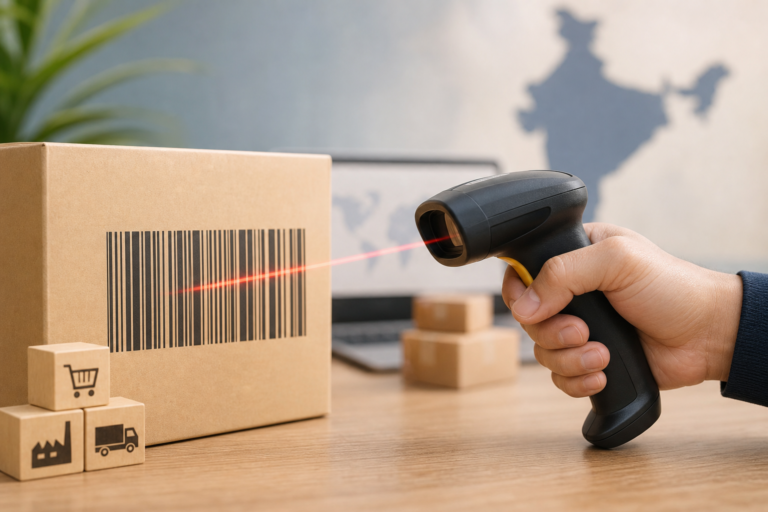

For small retail shops in Kolkata and across West Bengal, managing inventory accurately amidst busy daily operations can be challenging. Whether you run a neighborhood grocery or a specialty store, integrating barcode scanning with a reliable inventory system can help clarify stock levels, reduce errors, and improve replenishment decisions—key factors for sustaining growth in the competitive local market.
A shop can be busy all day and still have an unreliable stock record. A packet may be sold without being entered correctly, a new carton may arrive without being counted, or two similar products may be treated as one item. After a few weeks, the owner is no longer sure which products are actually available, which ones are running low, and which items are missing.
Barcode scanning can reduce this confusion, but only when it is connected to a useful inventory process. A scanner by itself does not know the product name, selling price, or available quantity. It reads a product identifier; the billing or inventory software then uses that identifier to find the correct product record.
That distinction is central for small retailers in India. The real benefit does not come from printing a barcode on every package. It comes from creating a reliable link between the physical item, the product record, and each stock movement.
What barcode scanning actually changes
Without scanning, staff commonly identify products by typing a name, selecting an item from a long list, or relying on memory. This creates several opportunities for error. A similar product may be selected, the wrong pack size may be entered, or the quantity may be recorded incorrectly.
With a barcode-based workflow, the scanner captures the product number and sends it to the connected POS or inventory system. That system can then retrieve the relevant record. Depending on the software, the record may include:
- Product name and brand
- Pack size, flavour, colour, or model
- Purchase and selling information
- Current stock quantity
- Supplier or category
- Reorder level
- Location or shelf reference
This makes product identification faster and more consistent. It does not automatically make the stock record correct. If the product was entered incorrectly during setup, scanning will repeat that error efficiently.
Where a small retailer gets the most value
1. Receiving new stock
Stock receiving is often the first place where inventory accuracy begins to fail. A supplier’s carton arrives, the retailer checks a few items, and the total is entered manually. In a busy shop, some products may be missed or counted under the wrong variant.
A practical receiving process uses the barcode to identify each product while the delivery note or purchase invoice is checked. Staff can scan the item, confirm the description, and record the quantity received. If the software supports purchase orders, the received quantity can be compared with what was expected.
For example, suppose a shop receives three pack sizes of the same tea brand. Scanning each pack size separately helps prevent the 250 g stock from being added to the 500 g product record. This matters even more when packaging looks similar.
2. Faster and cleaner sales updates
At the billing counter, scanning can reduce repeated typing and make the sale process more consistent. When a sale is completed, the connected system can reduce the recorded stock for that item.
The result is useful only if staff follow the same process for every sale. If some products are scanned while others are entered under a general item such as “miscellaneous grocery,” the inventory record will remain incomplete. A small retailer should decide which products must be scanned and train staff to avoid shortcuts that undermine the system.
3. Stock counting and verification
Physical stock counts are necessary because recorded inventory and actual inventory can differ. Products may be damaged, misplaced, returned, given away, incorrectly billed, or lost through shrinkage.
During a count, staff can scan products shelf by shelf and compare the result with the quantity in the system. This is usually more dependable than writing product names on paper and entering them later. It also makes it easier to investigate differences by category, shelf, or product type.
Do not assume that scanning a product once means the count is complete. The count must cover every relevant storage area, including back-room cartons, display shelves, locked cabinets, and items kept near the billing counter.
4. Reordering before a popular product runs out
Barcode scanning can support replenishment when the inventory software records sales and shows current stock. A retailer may set a reorder point for products that sell regularly. When stock reaches that level, the owner can review the item and decide whether to place a purchase order.
The reorder point should reflect the shop’s actual buying cycle, supplier lead time, and expected demand. It should not be copied blindly across every product. A fast-moving biscuit may need a different threshold from a slow-moving household accessory. Seasonal demand in Kolkata, for example, may also change around festivals, school reopening, or local events.
A reorder alert is a prompt for review, not an automatic instruction to buy. The owner should still consider cash flow, shelf space, expiry dates, supplier minimum quantities, and whether the recent sales pattern was unusual.
Barcode, SKU and product record: keep them separate
Small retailers often use the words barcode, SKU, and product code as if they mean the same thing. They are related, but keeping them separate makes the inventory system easier to manage.
| Item | Meaning | Typical use |
|---|---|---|
| Barcode symbol | The printed, machine-readable pattern | Scanned at billing, receiving, or stock counting |
| Product identifier | The number represented by the barcode | Connects the physical item to a product record |
| SKU | An internal stock code created by the retailer | Organises products within the shop’s own system |
| Product record | The information stored in the POS or inventory software | Shows name, price, stock, supplier, and other fields |
A shop can use both an internal SKU and an EAN-13 barcode for the same item. For example, the retailer might use an internal code such as TEA-500-ASSAM while storing the applicable barcode number in a separate field. This helps the owner search products internally while still accepting the identifier printed on the package.
An EAN-13 barcode identifies a product number for compatible systems. It does not contain the selling price, current stock, or full product description. Those details are maintained in the retailer’s database. To understand more about EAN-13 barcodes and their role in product identification, see our complete guide to EAN-13 barcodes.
Why product variants need careful mapping
One of the most damaging setup errors is assigning one barcode to several products that the shop needs to track separately. Consider a small cosmetics retailer selling a face wash in 50 ml and 100 ml packs. The brand and product name may be almost identical, but the pack sizes have different prices, quantities, and stock records.
The same issue appears with:
- Different food pack sizes
- Flavours or formulations
- Clothing sizes and colours
- Electronics models or capacities
- Single units, multipacks, and gift sets
Before importing products into the POS, prepare a product master sheet. Useful fields include the product name, variant, pack size, internal SKU, barcode number, purchase rate, selling price, supplier, and reorder level. The retailer should check that the barcode on the physical product matches the correct row.
Do not assume that a successful scan proves the mapping is correct. A scanner can read the wrong barcode perfectly if it was linked to the wrong product during setup.
What barcode scanning cannot solve by itself
Barcode scanning is an input method, not a complete inventory system. It will not automatically solve:
- Incorrect opening stock
- Products received but not entered
- Unrecorded sales or returns
- Damaged or expired stock
- Wrong product-to-barcode mapping
- Staff sharing one login without accountability
- Supplier or purchase-price errors
- Products stored in uncounted locations
It also cannot support acceptance by every retailer, marketplace, or supplier system. A barcode that scans on a phone or local scanner may still be subject to the requirements of a particular marketplace or organised retailer. If a channel specifically requires a GS1-issued GTIN, an independently supplied EAN-13 number should not be described as GS1-licensed or assumed to meet that requirement.
For a neighbourhood shop using its own billing software, the immediate question may be compatibility with that software and scanner. For a retailer planning to supply organised retail or marketplaces, the identifier source and channel rules need separate checking.
A practical workflow for a small retail shop
Step 1: Define the products that need tracking
Start with the items the shop sells regularly or needs to count separately. Do not try to barcode every object in the shop on the first day if the team is not ready to maintain the records.
Step 2: Clean the product list
Remove duplicate names, standardise pack-size descriptions, and separate variants. “Shampoo 100” and “Shampoo 100 ml” should not become two accidental records for the same item.
Step 3: Map each product to its identifier
Record the barcode number and internal SKU against the correct product. Check the printed digits beneath the barcode where possible. For products without a usable retail barcode, the software may support an internally assigned label, but the shop should document how that code is created and used.
Step 4: Test the equipment
Confirm that the scanner reads the barcode and that the software opens the correct product record. Test different packaging materials, small labels, and products with curved or glossy surfaces. A phone scan is a useful preliminary check, but it does not prove performance with every POS scanner.
Step 5: Set rules for daily operations
Decide how staff will record receiving, sales, returns, damaged items, and stock transfers between shelves or branches. A barcode system becomes unreliable when each employee follows a different process.
Step 6: Run a limited pilot
Begin with one product category or one section of the shop. Compare the recorded stock with a physical count after several days. Fix mapping and workflow problems before expanding to the full catalogue.
Step 7: Review differences regularly
When system stock and physical stock do not match, record the reason rather than simply changing the number. Common causes include missed billing, incorrect receiving, breakage, returns, or counting mistakes. The reason helps prevent the same difference from appearing again.
How to decide whether scanning is worth introducing
A barcode system is more useful when the shop has enough product variety or transaction volume for manual tracking to create regular problems. Consider introducing it when:
- Staff spend too much time searching for product names at billing.
- The shop carries many similar pack sizes or variants.
- Stock counts are frequently different from the system record.
- The owner discovers stock shortages only after customers ask for a product.
- Multiple staff members receive, sell, or count stock.
- The business is adding a second outlet, warehouse, or delivery channel.
A very small shop with a limited range may begin with a simple spreadsheet and an internal code system. The right choice depends on the number of products, transaction frequency, software capability, equipment cost, staff discipline, and the value of more accurate stock information.
Budget for more than the scanner. The full setup may include compatible billing or inventory software, product-data entry, barcode labels for items without printed codes, staff training, a printer, and time for an opening stock count. The recurring cost, if any, depends on the selected software and service terms, so check current details before committing.
Common mistakes that reduce the benefit
- Buying equipment before checking compatibility: A scanner must work with the POS or inventory software and the barcode formats used by the shop.
- Importing a messy product list: Duplicate or inconsistent records make stock reports difficult to trust.
- Using one barcode for different variants: This hides the actual movement of each product.
- Skipping opening stock verification: A new system cannot correct an inaccurate starting quantity.
- Ignoring returns and damages: Stock becomes overstated if these movements are not recorded.
- Changing prices by creating duplicate products: In many systems, the price can be updated in the product record without creating another identifier.
- Testing only on a screen: Printed size, contrast, folds, scratches, and glossy surfaces can affect scanning.
- Assuming a scan equals a sale: A scan is only one event; the transaction must be completed and recorded correctly.
Conclusion
For small retail businesses in Kolkata and West Bengal, adopting barcode scanning can be a practical step toward improving inventory accuracy and operational efficiency—provided it is integrated thoughtfully into a complete stock management workflow. By speeding up receiving, reducing errors at billing, supporting reliable stock counts, and providing timely reorder alerts, barcode systems can help shops maintain better control over their inventory.
Success depends on clean product data, careful mapping of variants, consistent staff processes, and compatible software and hardware. Starting with a focused product category, thoroughly testing the system, and regularly reviewing discrepancies can build confidence and ensure smoother expansion across the full inventory.
If you are considering implementing barcode scanning, exploring resources such as our complete guide for retail products in India and barcode for inventory management can provide practical insights tailored to the Indian market. Taking a measured, evidence-based approach will help you assess whether the investment aligns with your shop’s scale, product range, and growth plans, ultimately supporting better stock control and business development.
Continue Reading: EAN-13 Guides
Explore practical guides for product identification, packaging and retail preparation.