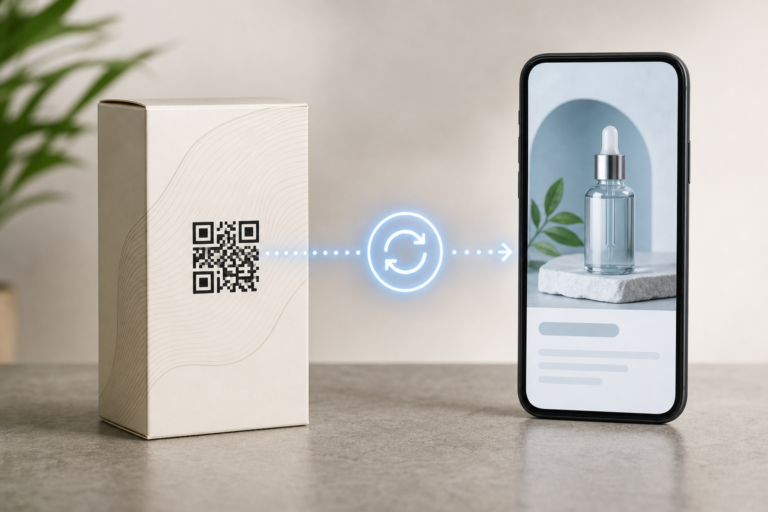
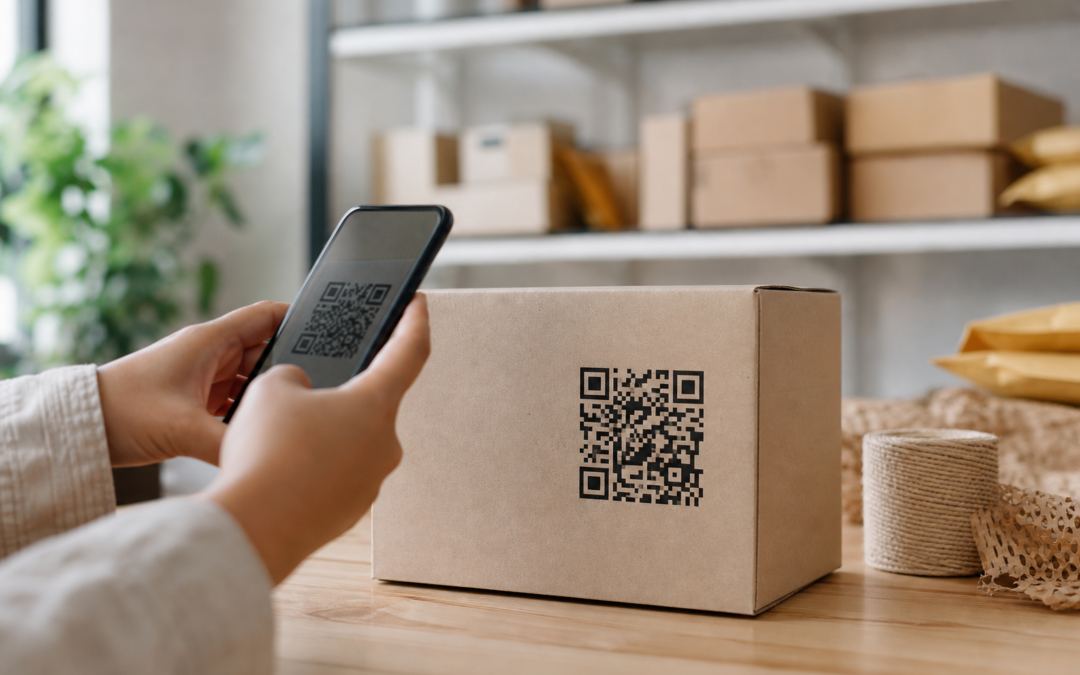
For small businesses in Kolkata and across West Bengal considering QR codes on product packaging, making an informed choice can enhance customer engagement and provide valuable information tailored to local market needs. However, simply adding a QR code is not enough; success depends on clear purpose, thoughtful planning, and alignment with packaging constraints and customer expectations. Before committing to printing, it is crucial to define what the QR code should achieve and how it will remain relevant over time.
The key question is not just, “Can we add a QR code to the package?” but rather: what should the customer do or learn after scanning, and how long must that experience remain relevant? Answering this helps small businesses choose the right QR code type, destination, placement, and measurement approach, avoiding the trap of treating the code as merely decorative.
Start with the customer’s reason to scan
Customers scan QR codes when packaging promises something useful, timely, or convenient. Before designing artwork, write a clear sentence describing the QR code’s purpose, such as:
- “Scan for preparation instructions.”
- “Scan to register your product.”
- “Scan for the latest user manual.”
- “Scan for recipes and serving ideas.”
- “Scan to request product support.”
- “Scan for the current offer.”
This sentence should guide both the destination page and the wording printed beside the code. For example, a spice brand in Kolkata might link a turmeric packet to recipes or usage guidance relevant to Bengali cuisine. An electronics seller could provide installation guides or warranty registration pages, while a clothing brand might offer care instructions or collection details.
A QR code is less effective if it directs all customers to the business homepage, forcing them to search for information and weakening the connection between the package and the digital experience.
Useful ways to use QR codes on packaging
1. Product instructions and guides
Packaging space is often limited, especially for small bottles, pouches, and cosmetic containers. A QR code can connect customers to detailed instructions, diagrams, demonstrations, or mobile-friendly guides. This is particularly valuable when the product requires more explanation than can fit on the label.
However, essential information that customers need immediately should remain on the packaging. A QR code should add convenience, not replace legally required printed instructions. Businesses should review category-specific labeling and regulatory requirements before relying on digital content.
2. Recipes, usage ideas, and product education
For packaged foods, spices, beverages, or household products, a QR code can link to recipes, serving ideas, demonstrations, or practical tips tailored to the exact product and packaging. For instance, a QR code on a mustard seed packet should lead directly to relevant recipes rather than a broad catalogue.
This approach can help small businesses answer common customer questions and enhance the perceived value of basic products. The linked page should be focused, fast-loading, and easy to read on mobile devices.
3. Warranty, registration, and support
QR codes can facilitate product registration, helping businesses manage warranty and support requests. Digital support pages can reduce repetitive questions about setup, care, or troubleshooting. It is important to make the next action clear and request only necessary information, explaining its use.
Not all customers will want to create an account. Providing visible contact details such as phone numbers, email addresses, or service instructions may be more helpful than placing registration forms behind multiple steps.
4. Offers and campaigns
QR codes can link packaging to seasonal offers, launch campaigns, loyalty programs, or feedback forms. This works well when campaigns have defined start and end dates. However, packaging may remain in circulation after a campaign ends.
Before printing, decide what the QR code should display after the offer expires—such as a general product page, support page, or ongoing loyalty program. Leaving an expired offer page active can confuse customers and reduce trust.
5. Product information for retailers and distributors
Some manufacturers use QR codes to provide trade partners access to specifications, certificates, manuals, catalogues, or batch information. The content should be tailored to the audience: simple language for customers and detailed technical documents for distributors.
Confidential internal information should not be accessible via publicly shareable QR codes, as printed codes can be copied or photographed.
Static or dynamic QR code: which is more suitable?
A static QR code contains a fixed destination URL. If the URL changes, the code usually needs replacement unless the original URL is redirected through a controlled website.
A dynamic QR code points to a managed link that can be updated through the QR platform without changing the printed code, provided the service remains active. Some platforms also offer scan reporting.
| Decision factor | Static QR code | Dynamic QR code |
|---|---|---|
| Destination | Fixed in the code | Managed through a redirect |
| Changing the page after printing | Usually requires a new code or website redirect | Possible through the active management account |
| Ongoing service dependency | Lower, if the URL remains available | Higher; the redirect service must remain active |
| Scan reporting | Usually not built in | May be available, depending on the platform |
| Suitable use | Stable content and shorter print life | Long-life packaging, changing content or campaign measurement |
For packaging that may remain in shops for months or years, dynamic QR codes can be advantageous when instructions, campaigns, or support pages may change. However, businesses should carefully consider account access, renewal terms, service continuity, analytics availability, and contingency plans if the platform ceases operation.
If a business cannot assign responsibility for managing the QR account, a dynamic code may pose risks greater than its benefits. In such cases, a static code linking to a durable page on the company’s website may be simpler and more reliable.
Do not confuse a QR code with a retail barcode
A QR code and an EAN-13 barcode can appear on the same package but serve different purposes.
- EAN-13: commonly used as a product identifier compatible with retail, billing, inventory, or supply-chain systems.
- QR code: commonly used to connect customers to digital information such as guides, offers, registration pages, or support resources.
While mobile phones can scan both, they are not interchangeable. If a marketplace, retailer, or distributor requires a specific identifier or a GS1-issued GTIN, a QR code cannot substitute. Similarly, an independently supplied EAN-13 barcode should not be described as GS1-licensed unless obtained through the GS1 system.
Small businesses should check the requirements of every important sales channel before finalizing packaging. A code suitable for internal inventory or local billing may not meet the onboarding rules of organized retailers or marketplaces.
For more details on product barcodes, small businesses can refer to the complete guide to EAN-13 barcodes in India, which explains barcode structure, benefits, and where to buy genuine codes.
Plan the QR destination before designing the package
The printed QR code is only one part of the customer journey. Prepare and test the destination page on mobile data and Wi-Fi to ensure:
- The page matches the product, variant, and packaging message.
- The main information is immediately visible without unnecessary searching.
- The page loads properly on common mobile screens.
- Buttons, forms, phone links, and WhatsApp links function correctly.
- The customer understands the next action within seconds.
- The page remains useful if the campaign or product batch changes.
For example, a small appliance brand in Kolkata printing a QR code for an installation guide should ensure the destination opens the guide directly, not a catalogue with unrelated products. If several models share similar packaging, the page should clearly distinguish the model.
Maintain a simple QR register documenting the code name, physical placement, destination URL, product or campaign, owner, print date, and current status. This helps avoid confusion about which QR code was printed on which packaging version.
Printing and placement checks that prevent avoidable failures
A QR code that scans on a designer’s monitor may still fail on actual packaging. Print samples on the real material and check after folding, sealing, labeling, or assembly.
- Use strong contrast: a dark QR pattern on a light, plain background is easier to scan.
- Keep the clear margin: avoid placing text, borders, or graphics directly against the code.
- Preserve the shape: do not stretch or compress the QR code.
- Allow practical size: small codes on curved bottles may scan differently than large codes on flat cartons.
- Avoid difficult surfaces: glossy, metallic, transparent, textured, or flexible materials require physical testing.
- Protect the code: keep it away from folds, seams, corners, and areas prone to scratches.
- Add a clear instruction: phrases like “Scan for instructions” give customers a reason to act.
Test the final package with multiple phones under normal lighting. Successful scanning is a basic check but does not ensure consistent performance across all devices and network conditions.
How to measure whether the QR code is useful
Scan counts indicate engagement but do not directly prove sales. Multiple scans by one person, staff testing, or shared packages can inflate numbers. Avoid interpreting every scan as a unique customer or conversion.
Use distinct QR codes when tracking results that influence decisions, such as:
- Different product variants.
- Different packaging batches.
- Retail counter displays versus product labels.
- Trade-show samples versus shipped products.
Adding UTM parameters to the destination URL can help website analytics distinguish packaging traffic from other visits. Track meaningful actions like guide views, registration completions, support requests, offer redemptions, or inquiries.
A simple interpretation framework includes:
- Many scans, little page interaction: review page speed, relevance, and readability.
- Many visits, few inquiries: check the offer, call to action, and form experience.
- Few scans, strong follow-through: the destination may work, but the code may be hard to notice or the scan instruction weak.
- Different results by batch or location: inspect print quality, placement, visibility, and customer context.
Record changes to the destination page. Frequent updates without a change log can combine different customer experiences in performance reports.
A practical workflow for a small product business
- Define the job: decide whether the scan is for instructions, support, registration, education, offers, or another purpose.
- Choose the destination: create a focused, mobile-friendly page rather than defaulting to the homepage.
- Choose static or dynamic: consider print lifespan, likely URL changes, reporting needs, and service-management capacity.
- Check sales-channel requirements: plan any EAN-13 barcode or other identifier separately from the QR code.
- Reserve packaging space: include the QR area before the artwork becomes crowded.
- Create and document the code: record the name, link, owner, and packaging version.
- Test the physical sample: scan the finished package under realistic conditions.
- Review after launch: monitor recorded scans and subsequent business actions.
- Maintain the experience: update expired offers, repair broken links, and keep account access under business control.
This straightforward process, supported by a spreadsheet, a reliable destination page, and a properly tested sample, can help prevent many common problems that arise when QR code planning is left until the last minute.
Common mistakes small businesses should avoid
- Adding a QR code without a clear purpose.
- Sending every scan to the homepage.
- Printing a temporary campaign URL on long-life packaging without an update plan.
- Assuming a dynamic QR code will work indefinitely without an active service account.
- Using one code across multiple products when separate results or destinations are needed.
- Measuring scans as confirmed customers or sales.
- Using a QR code instead of the retail barcode required by sales channels.
- Testing only the digital preview instead of the printed, assembled package.
- Allowing temporary staff to control the only QR account login.
- Putting sensitive business or customer information behind a publicly shareable code.
Conclusion
For small businesses in Kolkata and West Bengal, QR codes can add meaningful value when thoughtfully designed to give customers a clear and compelling reason to scan and when they continue to provide relevant and useful information throughout the product’s market presence.
Choosing between static and dynamic QR codes depends on factors such as the expected lifespan of the packaging, the likelihood of content updates, and the business’s capacity to manage ongoing service requirements. Static codes may be simpler and more reliable for stable destinations, while dynamic codes offer flexibility and analytics but require active management to maintain service continuity.
It is also important to keep QR code planning separate from product identification barcodes like EAN-13, as they serve distinct roles in retail and inventory systems.
A practical next step for businesses is to select a single product, define the scan instruction clearly, prepare and test the destination page on actual packaging materials, and verify the complete customer journey before approving full production. This careful approach can help avoid costly mistakes and increase the likelihood that the QR code adds meaningful value to your packaging and customer experience.
Continue Reading: EAN-13 Guides
Explore practical guides for product identification, packaging and retail preparation.