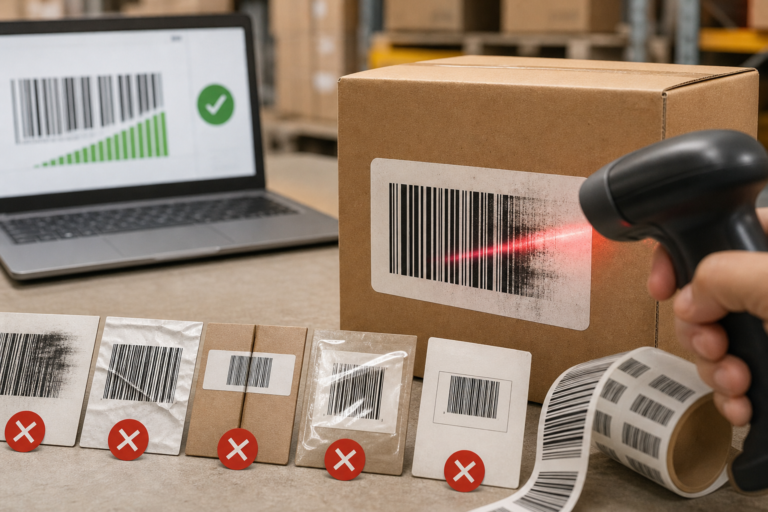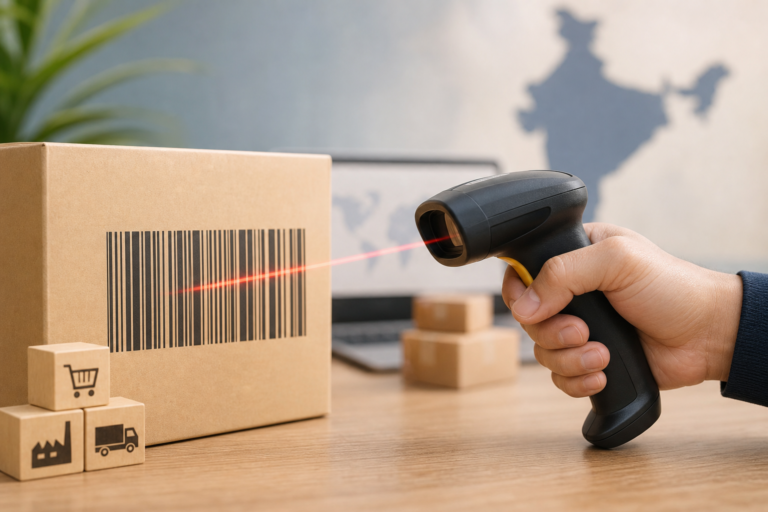
For small manufacturers and startups in Kolkata and across West Bengal, preparing product packaging for retail involves many critical steps—one of the most important being barcode label planning. Whether you produce artisanal food items, textiles, or electronics, integrating barcode considerations early in your packaging process can help avoid costly delays, scanning issues, and retail acceptance problems.
Imagine your printer is waiting for the final artwork: your product name, ingredients, logo, and packaging claims are ready. Then someone asks for the barcode—and the only available space is a narrow strip beside a fold. This last-minute decision can create multiple problems: the barcode may be too small, assigned to the wrong pack size, or scan on a phone but fail at a retailer’s counter. Sometimes the barcode scans perfectly, but the retailer has no matching product record.
For small manufacturers, barcode labels should be planned as part of the product and stock system—not treated as a decorative packaging element. This guide explains how to approach barcode labeling practically and effectively.
What a barcode label actually does
A barcode label gives a physical product a machine-readable identity. When a compatible scanner reads the symbol, it captures the encoded number. A billing, inventory, warehouse, or retail system then uses that number to find the relevant product record.
The barcode itself usually does not contain the full product description, price, stock quantity, or ingredients. Those details reside in the connected system. This distinction is important when troubleshooting:
- A scanner may fail to read the printed symbol.
- The scanner may read the number, but the product record may be missing.
- The number may be linked to the wrong variant or pack size.
- The retailer or marketplace may require a different identifier source.
Fixing the wrong part wastes time. Replacing a barcode number will not correct a poor print file, and improving print quality will not create a missing retailer product record.
Start with the product catalogue, not the label design
Before ordering barcode numbers or asking a designer to place them, prepare a product master sheet. A small manufacturer can start with a spreadsheet containing:
- Brand and product name
- Product category
- Variant, flavour, colour, model, or formulation
- Net quantity, size, or weight
- Internal SKU
- Packaging level
- Intended sales channel
- Barcode or GTIN requirement
- Assigned barcode number
- Artwork file name and version
- Status: planned, approved, printed, active, or discontinued
This exercise often reveals more product configurations than initially assumed. For example, a small food manufacturer in West Bengal selling turmeric powder in 100 g, 500 g, and 1 kg packs plus a three-pack gift set may have four separately managed configurations, not just one product called “turmeric powder.” Similarly, a clothing manufacturer may need to distinguish size and colour combinations, while an electronics maker may separate models, wattages, or storage capacities.
The general rule: if an item is separately ordered, priced, stocked, listed, or sold, review it separately for product identification. The exact treatment depends on identification rules and sales channels, so do not rely solely on the product name.
Choose the identifier route before buying barcode labels
EAN-13 is a barcode symbol format commonly used to represent a 13-digit product identifier. However, it does not by itself prove who issued the underlying number.
Small manufacturers must distinguish between independently supplied barcode numbers and GS1-issued GTINs. An independent barcode service may provide an EAN-13-format number and print-ready artwork for uses such as product labeling, internal inventory, or sales channels that accept it. Such numbers should not be described as GS1-issued unless obtained through the GS1 system.
A GS1-issued GTIN may be required by marketplaces, organised retailers, distributors, export buyers, or supply-chain partners. Requirements vary by platform, category, and seller account, and can change. Check the current written requirements of each important channel before printing packaging.
Use this decision sequence:
- List where the product will be sold: direct sales, local retailers, supermarkets, distributors, marketplaces, or exports.
- Ask each important buyer or platform what product identifier and documentation it requires.
- Confirm whether GS1-issued identification is mandatory.
- Choose an independent barcode route only where it fits the confirmed use.
- Record the identifier source in your product master sheet.
A barcode that scans is not automatically accepted by every marketplace or retailer. Readability, identifier source, product ownership, and retailer onboarding are separate checks.
EAN-13, SKU and product label: keep them separate
Small manufacturing teams often use “barcode,” “SKU,” and “product code” interchangeably, but they differ:
| Item | Purpose | Example |
|---|---|---|
| SKU | Internal stock reference created by your business | SOAP-NEEM-100 |
| Barcode number | Numeric product identifier used by the relevant system | Assigned 13-digit number |
| Barcode symbol | Machine-readable graphic representing the number | EAN-13 artwork |
| Product label | Printed label containing the barcode and other product information | Sticker, box, pouch, or hang tag |
Your internal SKU can be mapped to an EAN-13 number in the inventory system. Keeping both fields prevents common errors such as placing the correct barcode image on the wrong product artwork.
Before approval, compare the human-readable digits under the bars with the product master sheet. Check the product name, variant, and quantity. The image, number, and product record should agree.
Decide whether the label belongs on the unit, multipack, or carton
One product may exist at several packaging levels:
- One bottle sold to a customer
- A three-bottle retail multipack
- A shipping carton containing 24 bottles
These are not automatically the same trade item. The individual bottle may be scanned at retail checkout, while the outer carton may be handled by a warehouse or distributor. A physical multipack sold as one item may require separate planning from the units inside it.
Ask three questions for every packaging level:
- What exactly does this package represent?
- Who will scan it?
- Is it ordered, priced, stocked, or sold separately?
Do not copy the individual product barcode onto every outer package without checking the receiving system’s requirements. This can cause a carton to be interpreted as one unit when it contains several, or lead to confusion during stock receiving.
Design the label around reliable scanning
Once the identifier and product mapping are settled, allocate proper space for the barcode in the label artwork. Avoid waiting until every other design element fills the package.
Reserve enough space
Suitable size depends on barcode specification, printing method, material, and scanning environment. There is no single practical size for every bottle, pouch, box, or tag. Avoid shrinking the symbol just to fit leftover space.
Reserve a clear area during initial packaging layout. If the area is too narrow, adjust the layout, use a suitable label, or discuss limitations with the printer before final artwork.
Protect the quiet zones
The blank space at the sides of a barcode—called the quiet zone—helps scanners identify where the symbol starts and ends. Keep it free from text, borders, logos, decorative lines, and other codes.
Maintain proportions and height
A barcode is not an ordinary image. Do not stretch it horizontally, compress it vertically, or reduce its height just to fit a design box. Use the original print-ready file and lock proportions during placement.
Use dependable contrast
Dark bars on a light, plain background are generally safest for conventional EAN-13 printing. Coloured bars, patterned backgrounds, transparent labels, metallic finishes, and glossy surfaces require physical testing. A design that looks attractive on a monitor may behave differently under retail lighting.
Choose a stable location
Keep the barcode away from folds, seams, sharp corners, heavy curves, and areas likely to be scratched or covered by another label. For bottles, tubes, and pouches, identify the flattest accessible panel where the symbol can remain visible and stable after filling and assembly.
Use the right artwork file
A screenshot or copied image can become blurred when enlarged for packaging. Repeated exporting and importing can also damage bar edges.
Request the original print-ready artwork supplied for the assigned number. Vector formats such as SVG are useful when designers need to scale the symbol professionally. High-resolution raster files may also work if prepared at the intended print size. Key checks are clarity, correct data, and preserved proportions.
Do not redraw bars manually or type a different number beneath the image. If human-readable digits and encoded symbol do not match, pause artwork approval and resolve the mapping first.
Test the physical label before mass production
A digital proof confirms only that the file looks correct on screen. It does not show how ink, toner, material, lamination, trimming, folding, or packaging assembly affect the barcode.
Print a production-like sample using the intended size, surface, finish, and application method. Then check:
- The barcode number matches the correct product and variant.
- The human-readable digits are clear.
- The symbol has not been stretched or cropped.
- The quiet zones remain visible after trimming.
- The bars have strong contrast against the background.
- The label is not folded, wrinkled, or applied across a seam.
- The barcode scans after the package is filled, sealed, or assembled.
- The product record appears correctly in your inventory or billing system.
Phone scans are useful preliminary checks but do not guarantee performance on every retail or warehouse scanner. For higher-risk supply arrangements, ask retailers or buyers if formal barcode verification is expected.
What to do when the barcode scans but the product is not found
This issue is often mistaken for a printing failure. Ask the retailer or operator for the exact digits received by their system.
If the scanner captures the complete number but the screen shows “item not found,” investigate the product database. The retailer may not have created the item, may have entered one digit incorrectly, or may not have activated the product at that location.
If the wrong product appears, compare the number with your master sheet and check whether it was mapped to a different size, flavour, or pack. If the symbol does not scan consistently, return to the physical label: inspect size, contrast, quiet zones, damage, curvature, and print quality.
This clear separation between print problems and product-record problems can prevent unnecessary purchases and packaging reprints.
A practical barcode-label workflow for small manufacturers
- Map the range: list every product, variant, pack size, and packaging level.
- Define internal SKUs: create a consistent stock reference for each item.
- Check sales channels: confirm whether buyers require EAN-13, a GTIN, GS1-issued identification, or specific documentation.
- Select the identifier source: record whether the number is GS1-issued or independently supplied.
- Assign numbers carefully: map one approved number to the correct product record.
- Reserve label space: include the barcode area before final artwork approval.
- Prepare print files: preserve proportions, quiet zones, contrast, and human-readable digits.
- Test the finished package: scan the physical label after application and assembly.
- Confirm the system record: check that your inventory, billing, or retailer database returns the correct item.
- Control future changes: keep artwork versions and barcode assignments together in the master sheet.
Common mistakes worth preventing
- Buying a barcode before checking the intended sales channel.
- Assuming every EAN-13 number is GS1-licensed.
- Using one number for different pack sizes or product variants.
- Confusing an SKU with a retail product identifier.
- Adding the barcode after the label design is already crowded.
- Removing quiet zones to make room for graphics.
- Testing only a PDF or phone screen instead of the finished package.
- Assuming a successful scan proves marketplace acceptance.
- Leaving barcode account access or records with a temporary designer.
- Printing new numbers before diagnosing a database or artwork problem.
Conclusion
For small manufacturers in Kolkata and the wider West Bengal region, barcode labels serve as a crucial link between physical products and their digital records. The objective is not merely to produce a scannable image but to ensure the correct product variant, pack size, and sales-channel requirements are consistently represented.
Start with a comprehensive product master sheet and verify whether your buyers require GS1-issued identification. Keep your internal SKU distinct from the barcode number. Reserve adequate label space early in the design process and test the finished package—not just the artwork file—before approving large print runs.
As a practical next step, audit your upcoming product launch beginning with the catalogue: list each sellable configuration, confirm identifier requirements with your target sales channels, and request a physical proof from your printer. This approach can help identify and resolve most barcode-label issues while they remain cost-effective to fix.
Continue Reading: EAN-13 Guides
Explore practical guides for product identification, packaging and retail preparation.